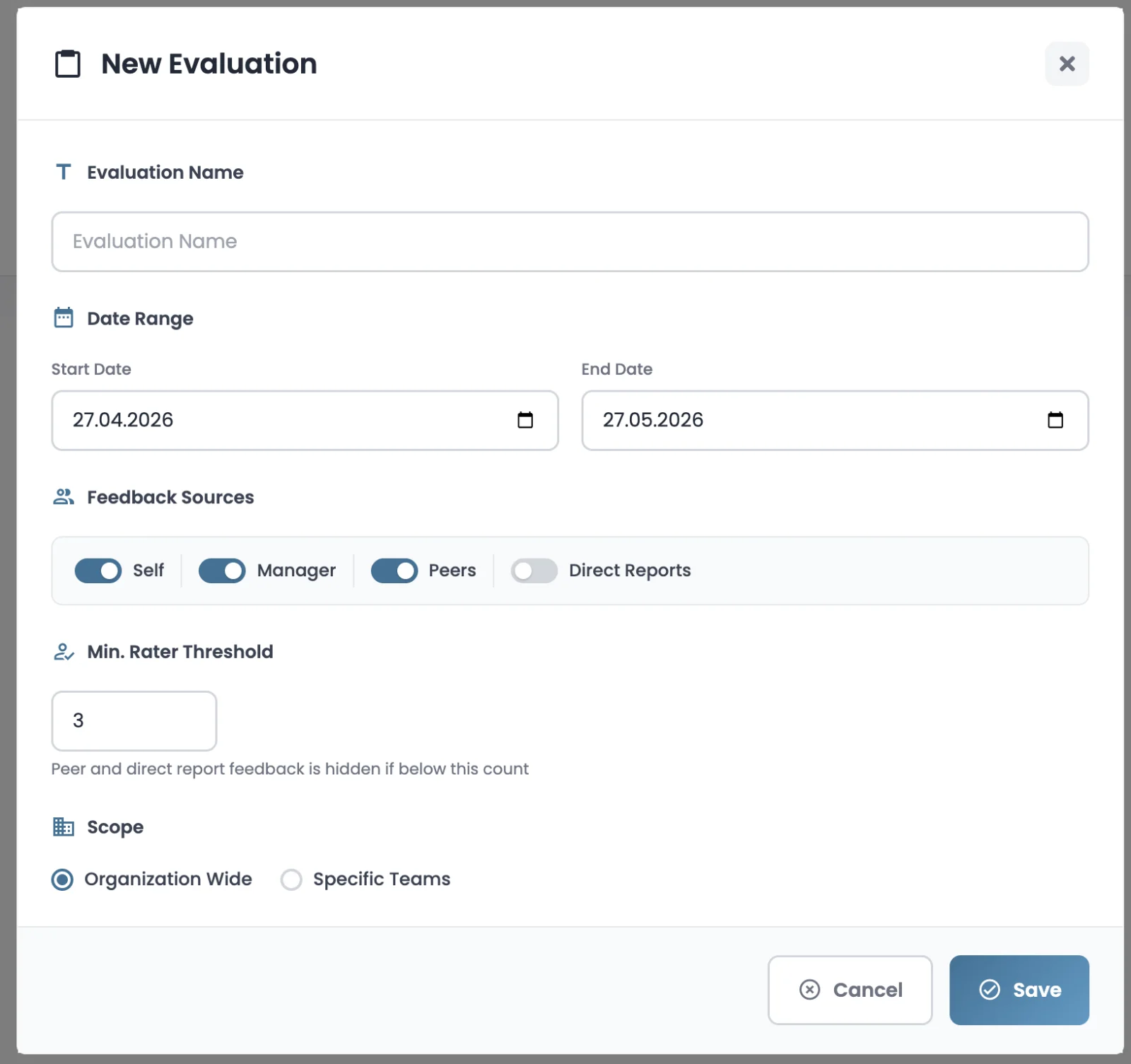
Multi-source feedback from the employee themselves, their manager, peers and direct reports. Anonymous, competency-based and development-focused. An evaluation experience that goes beyond the limits of a single subjective score.
360° Feedback is the only module that views an employee from four different perspectives. Each perspective tells its own truth, and the system combines them.
The employee assesses their own strengths and growth areas. Comparing with the other perspectives surfaces blind spots.
The direct manager's perspective gives a close-up view of performance goals and day-to-day work outputs.
Same-level teammates observe team dynamics, collaboration and day-to-day interaction with the employee.
Upward feedback from the manager's team surfaces blind spots in leadership, direction and coaching.
Manager and direct reports come automatically from the org chart, while peers are selected by a smart algorithm based on team hierarchy.
The evaluated person always evaluates themselves; self-assessment opens automatically in the cycle.
The direct manager from the org chart is assigned automatically.
The evaluated person's direct reports are added automatically.
The org chart, team and department hierarchy are taken into account; up to 10 peers are included in the evaluation.
Admins can review the automatic selection, add or remove people, and even add new raters after the cycle has started.
Anonymity is the foundation of 360° feedback. Knowing they could be identified by a small group makes employees less candid. Devokr automatically hides groups with too few raters in the report. The default minimum rater threshold of 3 can be increased as you wish.
A single peer is not visible in the report. Since anonymity cannot be preserved, the entire group is hidden.
Responses from two raters are hidden in the report. Groups below the threshold see a "not enough raters" message.
Three or more raters become visible in the report. Even then, only the group average is shared, not individual answers.
Each 360° cycle goes through four phases. While the system handles automatic aggregation and reminders, admins and managers stay in the loop at decision points.
From question types to reporting, from reminders to parallel cycles — everything you need in one module.
Scale (1-5, 1-7), free text, competency-based and rater-type-specific questions, all in one question set.
Build organization-wide question set templates and reuse them in new evaluations with a single click.
Raters who haven't completed their evaluation receive T+ email and in-app notifications.
Anonymity rules are applied automatically.
Not generally recommended, but for very large organizations parallel cycles like "Marketing 360°" or "Engineering 360°" can run at the same time.
Apply to the entire organization or selected teams. Smart subject selection and preview catch conflicts before the cycle starts.
A rater can decline with a reason by saying "I'm not in a position to evaluate this person."
When the cycle closes, group averages, competency-based distributions and label mappings are calculated in parallel.
Two modules under one roof, doing very different jobs. 360° Feedback is development and feedback focused; Performance Reviews, used alongside, leans more toward scoring and reward.
Yes, in most cases. Anonymous feedback encourages honest input, especially from peers and direct reports who might fear consequences for critical comments. The exception is direct manager feedback, which is usually attributed. Devokr lets administrators choose anonymous or attributed mode per template, balancing honesty with accountability.
Best practice is 5 to 10 reviewers per person: 1 manager, 3 to 5 peers, and 2 to 4 direct reports if applicable. Fewer than 5 risks identifying anonymous reviewers; more than 10 creates survey fatigue. Devokr supports custom reviewer groups and minimum thresholds to protect anonymity.
Performance reviews evaluate what someone achieved against goals; they drive compensation and promotion decisions. 360° feedback shows how they did it, gathered from peers, reports, and managers; it drives development and self-awareness. Most modern HR programs run both, with each serving a different purpose.
Devokr lets HR teams design custom 360° templates, choose reviewer groups (self, manager, peers, direct reports), set the cycle period, and configure anonymity per group. The collected feedback feeds directly into the same review file that holds OKR scores and competency ratings, creating a unified employee record.
Annually is the most common cadence, often paired with the year-end performance review. Some companies add a lighter mid-year pulse 360° focused on a single competency. Running 360° more than twice a year is rare. The point is to surface developmental patterns, not to add survey burden.
Anonymous, competency-based feedback from self, manager, peers and direct reports. Automatic assignment, automatic aggregation and professional reports.